
Solving Lucky Sabong Technicalities: Troubleshooting and Solutions
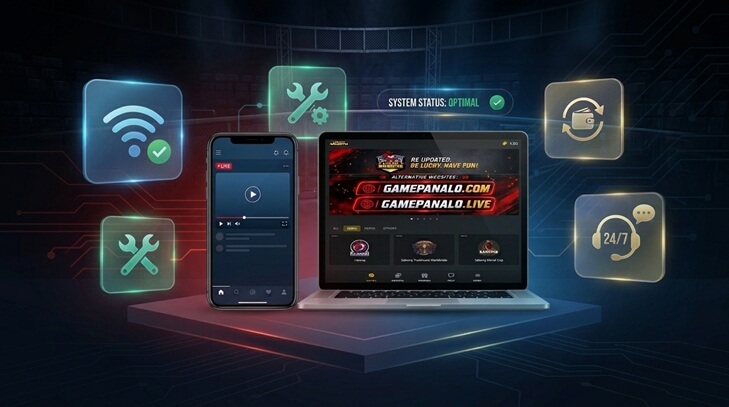
Nothing kills the excitement of a high-stakes derby faster than a frozen video feed, a stalled wallet transfer, or an unexpected login error right before a match kicks off. Because live streaming and real-time arena updates rely on constant, high-speed communication between your device and the platform's servers, even a tiny hiccup in your browser cache or mobile signal can disrupt your experience.
Whether you are troubleshooting on an Android phone, an iPhone, or a desktop computer, this comprehensive Lucky Sabong technical manual breaks down the root causes of common glitches and gives you step-by-step fixes to get back into the arena smoothly.
Why is the Lucky Sabong live stream lagging, stuttering, or endlessly buffering?
Live arena broadcasts push high-bitrate video data in real time. Unlike pre-recorded videos (such as movies or YouTube clips) that can load minutes ahead, live streams only buffer a few seconds at a time. When your connection dips even briefly, the player pauses to catch up.
How to fix it:
- Step down the video resolution: Tap the Gear (Settings) icon in the bottom corner of the video player and manually switch from Auto or 1080p HD down to 480p or 360p. This cuts data usage by more than half while keeping the action clear.
- Eliminate background bandwidth hogs: Apps like TikTok, Facebook, Google Photos, and system updates quietly download data in the background. Close all other open apps before launching the stream.
- Reset your local network route: If you are on mobile data (4G/5G), toggle Airplane Mode ON for 10 seconds, then turn it OFF. This forces your phone to disconnect from a congested cell tower and lock onto a fresh, faster signal.
- Use the internal player refresh: Look for the circular refresh arrow inside the video frame. Tapping this reloads the video feed without forcing your entire account session to reload.
The Lucky Sabong live video is crystal clear, but there is zero sound. How do I get the audio back?
Modern mobile and desktop browsers enforce strict "Autoplay Policies" that automatically mute live video streams until the user manually interacts with the sound controls. In other cases, your device may be routing audio to the wrong output channel.
How to fix it:
- Check the player's built-in speaker icon: Tap anywhere on the live video screen to bring up the overlay controls. If the speaker icon has a slash through it, tap it to unmute and drag the volume slider all the way up.
- Adjust your phone's "Media" volume specifically: Pressing the volume buttons on the side of your phone sometimes only raises your Ringtone volume. Open your device's Sound settings to verify that the Media Volume bar is turned up, and check that your physical Mute switch (on iPhones) is off.
- Check for silent Bluetooth connections: If you used wireless earbuds or a Bluetooth speaker earlier in the day, your phone might still be sending the stream's audio to that device. Turn off Bluetooth temporarily to force sound back through your phone's speakers.
- Unmute your desktop browser tab: On a computer, look at the top browser tab for your stream. If you see a small muted speaker icon on the tab itself, right-click the tab and select "Unmute site."
My Lucky Sabong deposit or withdrawal is taking longer than expected. What should I do?
Transactions between the platform and local payment channels (such as GCash, Maya, GrabPay, or online banking via InstaPay and PESONet) pass through automated third-party payment gateways. While most transfers clear within 1 to 5 minutes, heavy traffic during major weekend derbies or bank maintenance windows can create temporary bottlenecks.
How to fix it:
- Allow a 15- to 30-minute processing window: Avoid submitting duplicate deposit requests while waiting, as this can flag your account for manual review and slow things down further.
- Cross-check your transaction details: Open your e-wallet or banking app's transaction history and verify that the Reference Number, Account Name, and Exact Amount match the details generated on your cashier page.
- Check for payment provider downtime: Occasionally, GCash, Maya, or specific partner banks undergo unscheduled maintenance or experience API delays. Check your payment app's official status page or notifications.
- Submit a ticket with complete proof: If your transaction has been pending for more than 30 minutes, take a clear, uncropped screenshot of your digital receipt (showing the Reference ID, date, exact time, and amount) and send it directly to Live Support so they can manually push the credit through.
How do I contact Lucky Sabong Customer Support for urgent technical help?
When an issue happens mid-event, reaching an official support agent quickly is critical, and so is avoiding fake impersonator accounts on social media.
How to reach the real team:
- Use the built-in 24/7 Live Chat: Look for the floating Headset or Chat bubble icon in the bottom corner of the Lucky Sabong website or inside your main account menu. This connects you straight to the official support queue.
- Verify official messaging links: If you prefer using Telegram, Viber, or Messenger, only click the direct support links embedded on the official homepage. Never search for support handles manually on social apps, as scammers frequently create lookalike pages.
- Speed up your ticket with a "Support Bundle": Before typing "Hello," prepare a single message containing:
- Your Username or Registered Mobile Number
- The exact time the error occurred
- Any Transaction Reference ID (if wallet-related)
- A screenshot of the error screen
Why does the video player show a solid black screen or an "Error Loading Media" message?
A black screen or media error means your browser is either blocking the video stream's security certificate or failing to decode the video format (HLS/WebRTC) used by the arena broadcast.
How to fix it:
- Break out of in-app browsers: If you opened Lucky Sabong by clicking a link inside Facebook, Messenger, Telegram, or Viber, you are using a stripped-down "in-app browser" that lacks full video playback support. Tap the three dots (⋮) in the corner and select "Open in Chrome" or "Open in Safari."
- Disable ad blockers and strict privacy shields: Extensions like uBlock Origin, AdGuard, or Brave Browser's built-in "Shields" often mistake live video scripts for pop-up ads and block them. Pause your ad blocker for the site and reload.
- Turn off VPNs and Private Relays: Live stream servers block connections coming from masked IP addresses to prevent unauthorized restreaming. Turn off any VPN apps or Apple's iCloud Private Relay.
- Clear corrupted cache files: Over time, outdated video scripts get stuck in your browser's memory. Clear your browser's Cached Images and Files (you do not need to delete saved passwords) and restart the app.
Why hasn't my Lucky Sabong wallet balance updated immediately after a match finishes?
Seeing a match end on screen does not trigger an instant payout. To ensure complete fairness and accuracy, the system follows a strict multi-step settlement sequence after every bout.
How to fix it:
- Wait for the official referee declaration: Payouts are only released into the ledger once the arena judges officially confirm the outcome (Meron, Wala, or Draw) and the status banner changes from Fighting to Finished/Settled.
- Force a manual balance sync: Tap the small circular refresh icon located directly beside your wallet balance at the top of the screen. This pings the database for your updated balance without reloading the video stream.
- Check your Match History tab: Navigate to your account's transaction or match logs. If the bout is marked as "Won" or "Settled" there, the funds are already credited. Simply log out and log back in to update the display counter at the top of your screen.
Why are the buttons unresponsive, greyed out, or locked when I try to submit an entry?
If you tap a selection button on Lucky Sabong and nothing happens, or if the buttons appear faded out, the interface is almost always enforcing live arena timing rules rather than experiencing a software crash.
How to fix it:
- Check the match status banner: Entries are only accepted while the status indicator reads "OPEN." The exact second the match transitions to "LAST CALL" and then "CLOSED," all submission buttons lock automatically so entries cannot be placed once the bout begins.
- Verify your available balance: If your wallet balance is below the table's minimum entry requirement, or if you still have a pending, unconfirmed entry, the interface will disable additional submissions.
- Sync a delayed clock: If your internet connection lagged by 10 seconds, your screen might still show the match as "Open" even though the arena server has already closed it. Refresh the page to sync your screen with the live arena timer.
What are the minimum device and internet requirements for streaming Lucky Sabong smoothly?
Because high-definition live video runs alongside real-time odds updates, older devices or throttled data plans can struggle to process both streams simultaneously.
Recommended Setup:
- Internet Connection: A steady 5 Mbps minimum for Standard Definition (480p) and 12 to 15 Mbps for smooth High Definition (720p/1080p). Stability (low ping and jitter) matters more than raw download speed.
- Smartphones and Tablets: Android 10.0 or newer or iOS 15.0 or newer, equipped with at least 4 GB of RAM and 1 GB of free storage so your browser has room to buffer temporary video files.
- Desktop and Laptop: Windows 10/11 or macOS Monterey and newer, running an up-to-date version of Google Chrome, Apple Safari, Microsoft Edge, or Mozilla Firefox with Hardware Acceleration enabled.
Why am I stuck in a login loop or unable to access my Lucky Sabong account?
A login loop, where you enter the right username and password, the page flashes, and you are dumped right back onto the sign-in screen, happens when your browser tries to use an expired security token.
How to fix it:
- Clear site-specific cookies: Go into your browser's Privacy & Security settings, search for the Lucky Sabong domain under Site Settings / Cookies, and delete stored data for that site only.
- Test in an Incognito or Private Window: Open a fresh Incognito tab and log in there. If it works immediately, a saved cookie or browser extension in your normal window is causing the loop.
- Watch out for autofill typos: Keyboard autofill features often add an invisible space at the end of your username or password. Type your credentials manually and double-check that Caps Lock is turned off.
- Wait out security cooldowns: Entering the wrong password 3 to 5 times in a row triggers an automated 15- to 30-minute brute-force lock. Wait for the timer to expire before trying again, or use the "Forgot Password" reset link.
Why does the Lucky Sabong website or app keep logging me out automatically during a live event?
Sudden logouts are built-in security safeguards designed to protect your wallet balance from unauthorized access.
How to fix it:
- Ensure single-device login: The system enforces a strict one-session-per-account rule. If you are logged in on your phone and then open your account on a laptop (or even in a second browser tab), the server immediately terminates the older session.
- Stop network switching mid-match: If your phone sits on the edge of your Wi-Fi range and repeatedly drops onto mobile data, your IP address changes every few minutes. The security firewall interprets rapid IP jumps as a potential account hijack and logs you out. Lock your phone onto either Wi-Fi or mobile data.
- Avoid prolonged inactivity: Leaving the page open without interacting for an extended stretch triggers an automatic idle timeout. Tap the screen or check your match history occasionally between bouts to keep your session active.
What should I do if the Lucky Sabong live odds, timers, or match status appear frozen or out of sync?
While the Lucky Sabong video player uses a media stream, the live odds, match numbers, and open/closed banners run on a separate lightweight data channel (called a WebSocket). Occasionally, the video keeps playing smoothly while the data feed stalls.
How to fix it:
- Perform a "Hard Refresh": A normal refresh sometimes reloads cached data. On a computer, press Ctrl + Shift + R (Windows) or Cmd + Shift + R (Mac). On mobile, pull down firmly from the top of the screen until the loading spinner completes a full rotation.
- Close duplicate browser tabs: Having the platform open in two tabs at the same time causes data conflicts, often freezing the live status in one of them. Close all tabs except one.
- Toggle your network connection: Briefly switching Wi-Fi off and back on forces your browser to re-establish a fresh live data handshake with the arena servers.
Why am I getting an "Access Denied," "Error 403," or region restriction notice on Lucky Sabong?
Security firewalls sit in front of the servers to block automated bots, DDoS attacks, and traffic from restricted jurisdictions. Sometimes, legitimate users get caught in the filter due to how their internet provider routes traffic.
How to fix it:
- Turn off all VPNs, Proxies, and DNS changers: Even if a VPN is set to a local server, commercial VPN IP addresses are blacklisted by platform firewalls. Turn off VPN apps, Tor browsers, or custom encrypted DNS settings.
- Switch off public or office Wi-Fi: Corporate offices, hotels, and public hotspots often route all users through a single shared IP address or block gaming and streaming domains at the router level. Disconnect from Wi-Fi and load the site using your personal cellular data.
- Request the latest official mirror domain: Internet Service Providers (ISPs) occasionally block or slow down older web addresses. Message official Lucky Sabong Customer Support on Telegram or Viber to ask for the active, verified backup domain link.